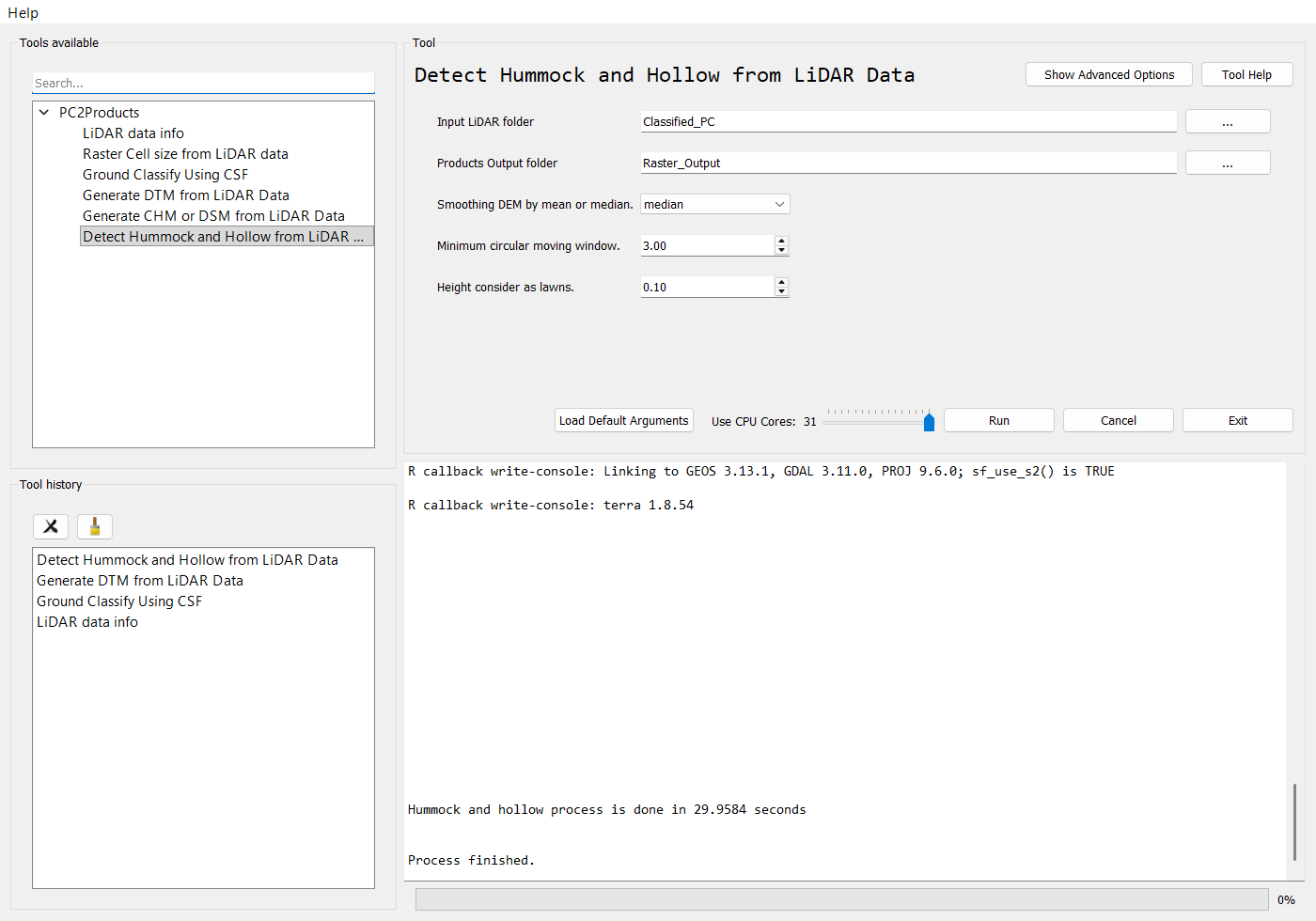
Detect Hummock and Hollow from LiDAR Data
Maps micro-topography by comparing the terrain with a smoothed copy of itself. For each tile, the tool:
- Builds a DTM with
rasterize_terrain(algorithm = tin()). - Smooths it with a circular moving window of diameter
Min_ws, using themeanormedian(terra::focal). - Subtracts the DTM from the smoothed surface, and classifies each cell using
lawn_range:
| Cell | Value in HH_*.tif |
|---|---|
More than lawn_range above the smoothed surface |
1 (hummock) |
More than lawn_range below the smoothed surface |
-1 (hollow) |
Within ±lawn_range |
0 (lawn) |
The data must be ground-classified. If the first file has no class 2 points, the tool prints a warning and stops without writing anything. Run Ground Classify Using CSF first.
| Parameter | Type | Required | Description |
|---|---|---|---|
in_las_folder |
directory | Yes | Folder containing the ground-classified LAS/LAZ tiles. |
out_folder |
directory (output) | Yes | Folder for the output rasters. |
Smooth_by |
mean | median |
Yes | Statistic used to smooth the DTM. The default is mean. |
Min_ws |
float | Yes | Diameter of the circular moving window, in metres. The default is 3.0. |
lawn_range |
float | Yes | Height band around the smoothed surface that counts as lawn, in metres. The default is 0.3. |
cell_size |
float | No | Output cell size in metres. 0 (the default) calculates it from the point density. |
processes |
int | No | Requested number of parallel workers. |
| Output | Contents |
|---|---|
CHH_<tile>_<Smooth_by>_<Min_ws>m.tif |
Continuous height of the terrain relative to the smoothed surface. |
HH_<tile>_<Smooth_by>_<Min_ws>m.tif |
Hummock (1), hollow (-1) and lawn (0) classes. |
Merged_CHH_<Smooth_by>_<Min_ws>m.tif, Merged_HH_<Smooth_by>_<Min_ws>m.tif |
Mosaics of all tiles. |
from beratools.tools.rpy_PC2hummock_hollow import rpy_hh2raster

rpy_hh2raster(in_las_folder="tests/data/LiDAR/Classified_PC",
              out_folder="tests/data/LiDAR/Raster_Output",
              Smooth_by="median", Min_ws=3.0, lawn_range=0.1, cell_size=0)
Command line
bt hh   # show the parameters
bt hh --in_las_folder <las_dir> --out_folder <out_dir> --Smooth_by median --Min_ws 3 --lawn_range 0.1