Documentation
PC2Products uses Zensical for user, developer, and API documentation. The documentation source files are written in Markdown and are located in the docs/ folder of the GitHub repository. Zensical reads the existing mkdocs.yml through its supported compatibility layer; use the zensical CLI rather than invoking mkdocs directly.
Documentation File Structure
docs/
├── files/                  # Main documentation folder
│   ├── api.md              # API reference
│   ├── developer_guide.md  # Developer guide
│   ├── index.md            # Documentation homepage
│   ├── overview.md         # Project overview and tool table
│   ├── requirements.txt    # Python requirements for Zensical
│   ├── technical_guide.md  # Technical guide
│   ├── user_guide.md       # User guide and typical workflow
│   │
│   ├── css/                # Custom CSS for docs
│   ├── developer/          # Developer-specific docs
│   ├── icons/              # Project and documentation icons
│   ├── screenshots/        # Screenshots for guides and docs
│   ├── technical/          # How the tools run, and the architecture pages
│   ├── user/               # Installation, and one page per PC2Products tool
├── mkdocs.yml              # Zensical-compatible configuration file
Contribution Guidelines
To contribute to the documentation, please follow these guidelines:
- Clarity: Write clear and concise documentation.
- Structure: Organize content logically. Use headings, subheadings, and bullet points for easy navigation.
- Examples: Provide examples to illustrate complex concepts. Code snippets should be tested and functional.
- Updates: Keep documentation up-to-date with the latest changes in the codebase. A tool's page in
docs/files/user/should match its parameters inberatools.jsonand its section in the README. - Review Process: All documentation changes should be submitted as pull requests like code changes.
By following these guidelines, you can help ensure that the PC2Products documentation remains a valuable resource for all users.
Developing Documentation Locally
Activate the development environment described in the local development setup, then run these commands from the repository root.
- Install the required dependencies from the repository root:
python -m pip install -r docs/files/requirements.txt
With pixi, the documentation tools are already installed: prefix the commands below with pixi run.
Alternatively, install the documentation extra from pyproject.toml:
python -m pip install ".[doc]"
- Serve the documentation locally. This starts a development server that automatically rebuilds when files change:
zensical serve -f docs/mkdocs.yml
Open http://127.0.0.1:8000 to preview the site.
- Build the documentation. This generates the static site in
docs/site/:
zensical build -f docs/mkdocs.yml
Deployment
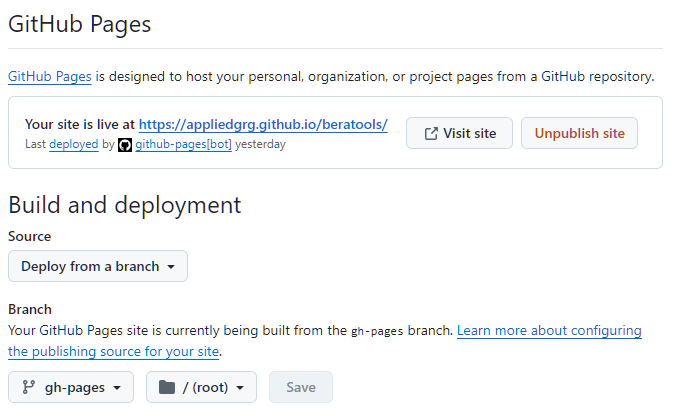
The documentation is automatically validated and deployed to GitHub Pages using .github/workflows/mkdocs-gh-pages.yml.
Pull requests that change documentation inputs run a Zensical build without deploying. Matching pushes to main build docs/site, upload it as a GitHub Pages artifact, and deploy it with GitHub's Pages action. The site is published on the repository's GitHub Pages; the repository link in the site header comes from repo_url in docs/mkdocs.yml.