Documentation
BERA Tools uses Zensical for user, developer, and API documentation. The documentation source files are written in Markdown and are located in the docs/ folder of the GitHub repository. Zensical reads the existing mkdocs.yml through its supported compatibility layer; use the zensical CLI rather than invoking mkdocs directly.
Documentation File Structure
docs/
├── files/                  # Main documentation folder
│   ├── api.md              # API reference
│   ├── developer_guide.md  # Developer guide
│   ├── index.md            # Documentation homepage
│   ├── overview.md         # Project overview
│   ├── requirements.txt    # Python requirements for Zensical
│   ├── user_guide.md       # User guide
│   │
│   ├── css/                # Custom CSS for docs
│   ├── developer/          # Developer-specific docs
│   ├── icons/              # Project and documentation icons
│   ├── screenshots/        # Screenshots for guides and docs
│   ├── user/               # User-specific documentation
├── mkdocs.yml              # Zensical-compatible configuration file
Contribution Guidelines
To contribute to the documentation, please follow these guidelines:
- Clarity: Write clear and concise documentation.
- Structure: Organize content logically. Use headings, subheadings, and bullet points for easy navigation.
- Examples: Provide examples to illustrate complex concepts. Code snippets should be tested and functional.
- Updates: Keep documentation up-to-date with the latest changes in the codebase.
- Review Process: All documentation changes should be submitted as pull requests like code changes.
By following these guidelines, you can help ensure that BERA Tools documentation remains a valuable resource for all users.
Developing Documentation Locally
Activate the development environment described in the local development setup, then run these commands from the repository root.
- Install the required dependencies from the repository root:
python -m pip install -r docs/files/requirements.txt
Alternatively, install the documentation extra from pyproject.toml:
python -m pip install ".[doc]"
- Serve the documentation locally. This starts a development server that automatically rebuilds when files change:
zensical serve -f docs/mkdocs.yml
Open http://127.0.0.1:8000 to preview the site.
- Build the documentation. This generates the static site in
docs/site/:
zensical build -f docs/mkdocs.yml
Deployment
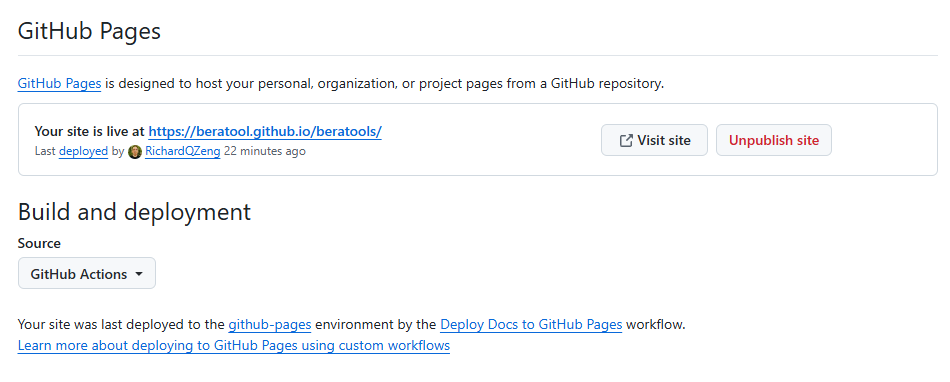
The documentation is automatically validated and deployed to GitHub Pages using .github/workflows/mkdocs-gh-pages.yml.
Pull requests that change documentation inputs run a Zensical build without deploying. Matching pushes to main build docs/site once, upload it as a GitHub Pages artifact, and deploy that artifact in a separate job with Pages permissions. The workflow uses the Pixi setup action and also watches pixi.toml and pixi.lock because they define the build environment. Superseded runs on the same PR or branch are cancelled. The published site is available at https://beratool.github.io/beratools/.